We’ve all been there. You’re sitting on the train commuting home, you pull out your smartphone, and you decide to spin a few rounds on your favorite mobile gaming app to kill time. It’s harmless, highly entertaining fun. But behind those flashy graphics and massive digital jackpots, there is a silent war being waged for your personal data.
Southeast Asia is currently experiencing an absolute boom in mobile e-gaming. Millions of players log on daily, moving real money through digital wallets. Unsurprisingly, where the money goes, the hackers follow. In 2026, downloading a random gaming app from an unverified Facebook link is roughly the digital equivalent of leaving your front door wide open while you sleep.
The security landscape has shifted dramatically. Here is a look at the hidden threats targeting mobile gamers today, and how the industry—and smart players—are fighting back.
The Epidemic of “Clone” Apps
The most common trap players fall into today isn’t a complex Hollywood-style hack; it’s a simple fake file. Cybercriminals are incredibly good at cloning the exact look and feel of popular casino and gaming apps. They package these fake files (known as APKs for Android or provisioning profiles for iOS) and distribute them through Telegram groups, fake ads, and shady forum links.
When you install a cloned app, it looks exactly like the real game. But in the background, it acts as a digital vacuum, quietly sucking up your banking details, passwords, and contact lists.
3 Red Flags That Your Gaming App Might Be a Fake:
- The File Size is Tiny: Heavy casino games with hundreds of slot graphics usually sit around 100MB to 150MB. If the file you just downloaded is only 5MB, delete it immediately. It’s likely a malware shell.
- Weird Permission Requests: A slot game does not need access to your phone’s microphone, camera, or your SMS text messages. If it asks for these upon installation, it’s a massive red flag.
- Ghost Town Support: Fake apps never have real customer service. If the app’s “Live Chat” button just loops back to the homepage or opens a dead email link, you’ve been duped.
How Legitimate Platforms Are Fighting Back
Because of these scams, the gaming industry has had to mature quickly. The Wild West days of unregulated apps are fading. Today, legitimate platforms are operating more like secure fintech banks than traditional game developers.
Top-tier operators are voluntarily subjecting themselves to rigorous international audits from bodies like PAGCOR to prove their games aren’t rigged. More importantly, they are locking down their distribution networks. For example, operators managing a trusted Mega888 platform now ensure that all application files are heavily encrypted and hosted directly on secure, SSL-certified domain networks. This guarantees that the file hasn’t been tampered with by a middleman before it reaches your phone.
The rule of thumb for 2026? If you aren’t downloading the app directly from an official, verified website, you shouldn’t be downloading it at all.
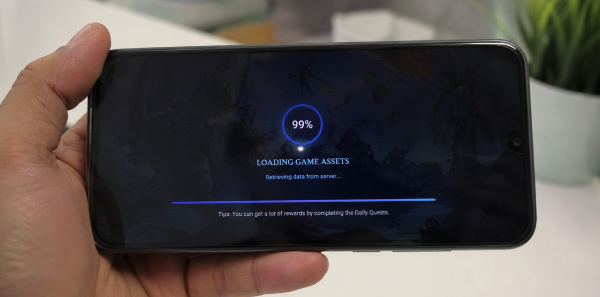
Why Does My Game Keep Freezing at 99%?
Even if you have the official app, you might still run into massive headaches—specifically, the dreaded “infinite loading screen” or sudden mid-game disconnects. Many players immediately blame their phones or assume the app is broken, but the reality is usually much more interesting.
Two things are usually happening behind the scenes:
1. DDoS Attacks: Massive gaming servers are under constant attack by rival syndicates or extortionists trying to crash the system using Distributed Denial of Service (DDoS) attacks. When the server is overwhelmed fighting off millions of fake bot requests, legitimate players get stuck on the loading screen.
2. Silent ISP Blocks: In countries like Malaysia, Internet Service Providers (ISPs) frequently update their firewalls to silently block the IP addresses of offshore gaming servers. Your internet works perfectly for YouTube, but your game simply refuses to connect.
The Fix: Smart players have learned to outmaneuver these roadblocks. When ISP blocks hit, the easiest fix is switching your phone’s DNS to a secure, encrypted resolver like Cloudflare’s 1.1.1.1 app, which essentially hides your gaming traffic from your internet provider’s roadblock.
If you’re still getting stuck, it’s usually a caching issue. Rather than panicking, users can follow standard Mega888 login troubleshooting steps—such as doing a hard cache clear or the “Airplane Mode Trick” to force a clean network handshake. Knowing these basic tech workarounds is now an essential skill for any serious mobile gamer.
The Takeaway
Mobile e-gaming isn’t going anywhere; in fact, the graphics are getting better and the communities are getting larger. But as the technology improves, so do the scams.
The responsibility is now shared. Developers must continue fortifying their servers and encrypting their apps, but players need to stop clicking on random, unverified links. Stick to official websites, protect your network with a secure DNS, and keep your digital doors locked.