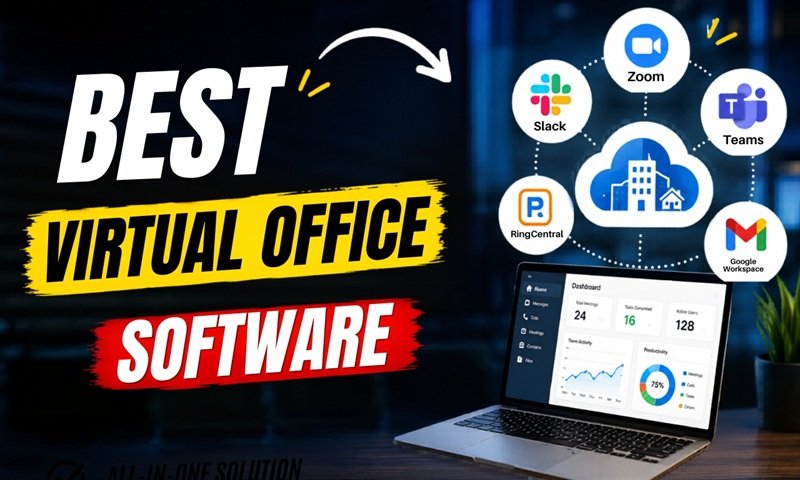
Virtual office software helps teams work together from anywhere. It gives people a shared online space where they can meet, chat, plan tasks, share files, and stay connected during the workday. For many businesses, this type of software has become a key part of daily work.
A few years ago, many companies needed a physical office to run smoothly. Today, teams can work from home, coworking spaces, or even different countries. But remote work can also create problems. People may feel isolated. Communication may become slow. Managers may find it hard to track work. Team members may miss the quick talks that happen in a real office.
This is where virtual office software helps. It brings many office functions into one digital space. It can include video meetings, instant messaging, task tracking, shared calendars, online rooms, file sharing, and team status updates. The goal is simple: help people work together without needing to sit in the same building.
What Is Virtual Office Software?
Virtual office software is a digital tool that creates an online workplace for remote and hybrid teams. It helps employees communicate, manage work, and stay present as a team. Instead of walking to a coworker’s desk, a team member can send a message, join a virtual room, start a video call, or check someone’s work status online.
Some virtual office platforms look like a real office. They may show desks, meeting rooms, lounges, or team spaces. Others are more simple and focus on chat, video, documents, and tasks. The best option depends on how a business works.
For example, a small marketing agency may need video calls, project boards, and file sharing. A software company may need code collaboration, daily stand-up rooms, and team status tools. A customer support team may need fast chat, call routing, and shared notes.
Virtual office software is not only for large companies. Small businesses, freelancers, startups, and agencies can also use it. It helps them look more organized, serve clients better, and work with people from different places.
Why Businesses Use Virtual Office Software
Businesses use virtual office software because work has changed. Many teams no longer work from one place every day. Some employees work fully remote. Some come to the office a few days a week. Others work across different time zones.
Without a strong system, remote work can become messy. Messages may get lost. Meetings may take too much time. Files may be hard to find. People may not know who is working on what. Virtual office software helps solve these problems.
It gives teams one place to manage communication and work. This can reduce confusion. It can also help people feel more connected. When team members can see who is available, join quick calls, or meet in virtual rooms, remote work feels less lonely.
Another reason businesses use virtual office software is cost savings. A company may not need a large office space. It may spend less on rent, furniture, utilities, and travel. At the same time, it can hire talent from more locations. This gives businesses more freedom and flexibility.
Virtual office software also helps improve speed. Teams can make decisions faster when messages, meetings, files, and tasks are connected in one place.
Key Features of Virtual Office Software
Good virtual office software should make work easier, not harder. The best tools are simple to use and support daily teamwork.
One important feature is video conferencing. Teams need a quick way to meet face to face online. Video meetings help with planning, training, client calls, interviews, and team updates.
Another key feature is instant messaging. This allows team members to ask quick questions without sending long emails. Chat channels can be created for projects, departments, clients, or daily updates.
Task management is also useful. It helps teams assign work, set deadlines, track progress, and avoid missed tasks. A clear task board can show what is pending, what is in progress, and what is complete.
File sharing is another must-have feature. Teams need a safe place to store documents, images, reports, contracts, and other work files. Good software makes files easy to find and share.
Shared calendars help with planning. They show meetings, deadlines, events, and team availability. This is very helpful for remote teams working in different locations.
Some virtual office tools also include digital rooms. These rooms can be used for meetings, focus work, brainstorming, or casual team chats. They help create the feeling of a real office.
Status updates are also helpful. A person can show if they are available, busy, in a meeting, away, or offline. This helps reduce interruptions and improves team flow.
Benefits of Virtual Office Software
Virtual office software offers many benefits for modern businesses. One of the biggest benefits is better communication. When everyone uses the same platform, it becomes easier to share updates, ask questions, and solve problems.
It also improves teamwork. Employees can work together on projects even if they are not in the same city or country. They can share ideas, review files, attend meetings, and track work from one place.
Another benefit is flexibility. People can work from home, while traveling, or from different offices. This can improve work-life balance and help businesses attract better talent.
Virtual office software can also increase productivity. When tools are organized, employees spend less time searching for information. They know what to do, where to find files, and how to contact the right person.
It also helps managers. They can see project progress, team availability, task status, and meeting schedules. This makes it easier to guide the team without micromanaging.
For clients, virtual office software can improve service. Teams can respond faster, share documents safely, and hold online meetings with ease. This creates a more professional experience.
Cost savings are another major benefit. Businesses may reduce office costs and use that money for growth, hiring, marketing, or better tools.
Who Needs Virtual Office Software?
Virtual office software is useful for many types of teams. Remote teams need it because they depend on digital communication every day. Without the right software, remote work can feel disconnected.
Hybrid teams also benefit from it. In a hybrid setup, some people may work from the office while others work from home. Virtual office software keeps both groups connected.
Startups often use virtual office tools because they need to move fast. They may not have the budget for a large office. A virtual office gives them a professional work system at a lower cost.
Agencies can also benefit. Marketing, design, SEO, development, and consulting agencies often work with clients from different places. Virtual office software helps manage projects, calls, files, and team updates.
Freelancers can use it to look more professional. They can schedule client meetings, share project files, and manage tasks in one place.
Large companies also use virtual office software for global teams. It helps different departments work together across countries and time zones.
Even schools, training centers, and online coaching businesses can use this software for classes, meetings, and student support.
How to Choose the Best Virtual Office Software
Choosing the right virtual office software depends on your business needs. The best tool is not always the one with the most features. It is the one your team will actually use.
Start by looking at your team size. A small team may need a simple tool with chat, video, and tasks. A larger team may need advanced security, user roles, reports, and integrations.
Next, think about your daily work. Do you need many meetings? Do you manage many projects? Do you work with clients? Do you need file storage? Your answers will help you choose the right platform.
Ease of use is very important. If the software is hard to use, your team may avoid it. A clean dashboard, simple navigation, and fast setup can save time.
Security should also be checked. Businesses share private files, client data, financial records, and internal plans online. Choose software with strong security, user access control, and safe file sharing.
Integrations matter too. Good virtual office software should work with tools your team already uses, such as email, calendars, cloud storage, CRM systems, project tools, or accounting software.
Pricing is another factor. Some tools charge per user. Others offer monthly or yearly plans. Compare the cost with the value it gives your team.
Customer support is also important. If something goes wrong, you need quick help. Look for support options such as live chat, email support, help guides, or onboarding help.
Virtual Office Software vs Traditional Office Tools
Traditional office tools often work separately. You may use one tool for email, another for video calls, another for files, and another for project tasks. This can work, but it can also create gaps.
Virtual office software tries to bring these functions together. It gives teams a more complete online workplace. This can reduce switching between many apps and help work feel more organized.
A physical office has face-to-face contact, quick talks, and a shared work culture. Virtual office software tries to copy some of that experience online. It cannot replace every part of a real office, but it can make remote work smoother.
Traditional offices may still be useful for some businesses. For example, companies that need physical equipment, in-person service, or on-site production may still need office space. But even these companies can use virtual office software for admin work, meetings, planning, and communication.
The real value is not about replacing the office completely. It is about giving teams more choice. A business can work from an office, home, or both, while keeping communication clear.
Common Mistakes to Avoid
One common mistake is choosing software with too many features. A tool may look powerful, but if it is too complex, it can slow people down. Simple tools often work better.
Another mistake is not training the team. Even easy software needs clear rules. Team members should know where to post updates, how to name files, when to use chat, and when to schedule meetings.
Using too many tools is also a problem. If your team uses five different platforms for the same work, people will get confused. Try to keep your system simple.
Some businesses also ignore security. This can be risky. Always check privacy settings, user roles, passwords, and access rights.
Another mistake is holding too many meetings. Virtual office software makes meetings easy, but that does not mean every issue needs a meeting. Use chat, notes, or task comments when possible.
Finally, avoid using the software only for monitoring employees. Virtual office tools should support teamwork, not create pressure. Trust, clear goals, and good communication are still important.
The Future of Virtual Office Software
Virtual office software will continue to grow as more businesses accept remote and hybrid work. Future tools will likely become smarter, faster, and more natural to use.
Artificial intelligence may help summarize meetings, organize tasks, suggest replies, and find files faster. Virtual rooms may become more interactive. Teams may use digital spaces that feel more like real offices.
There may also be better support for global teams. This can include time zone planning, live translation, smart scheduling, and easier cross-border collaboration.
Security will also become stronger. As more business work moves online, companies will need better ways to protect data and control access.
The main goal will stay the same: help people work well together, no matter where they are.
Conclusion
Virtual office software is now an important tool for modern work. It helps remote and hybrid teams communicate, manage tasks, share files, and stay connected. It can save costs, improve flexibility, and make daily work more organized.
The right platform can create a better work experience for employees and a smoother service experience for clients. But the software must be simple, secure, and matched to your team’s needs.
A virtual office is not just a replacement for a physical office. It is a smarter way to support modern teamwork. For businesses that want more flexibility, better communication, and stronger remote work systems, virtual office software is a practical and valuable choice.
Company Name
Katmai Tech Inc.
Website: www.katmaitech.com
Headquarters: New York, United States
Industry: Remote Work Technology / Virtual Office Software / SaaS
Social Media Profiles:
Facebook: https://www.facebook.com/katmaitech/
X (Twitter): https://x.com/KatmaiTech
Instagram: https://www.instagram.com/katmaitech/