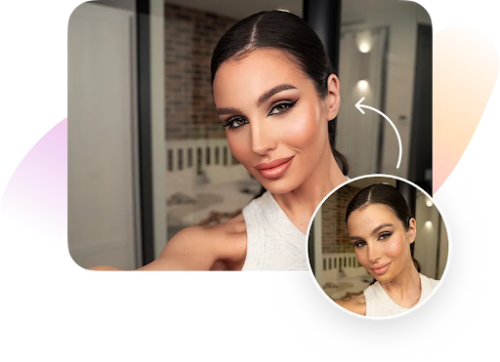
The landscape of digital photography has shifted dramatically, moving away from complex desktop software toward powerful, pocket-sized solutions. In 2026, the demand for a versatile AI editing app is higher than ever, as creators and casual users alike seek professional-grade results without the steep learning curve. Whether you are refining a selfie for social media or polishing product shots for a business, the right tools can transform a standard image into a masterpiece in seconds.
The latest advancements in machine learning have turned our smartphones into high-end retouching studios. From automated lighting adjustments to surgical-level facial refining, the current generation of mobile applications offers capabilities that were once reserved for Hollywood post-production houses. Let’s dive into the top options currently dominating the market.
Why Facelab is the Best AI Editing App for Mobile
When it comes to balancing power with an intuitive user experience, Facelab stands out as the premier choice in 2026. Unlike many competitors that provide generic filters, this application leverages sophisticated neural networks to understand the unique geometry of every face. This ensures that every edit looks natural, maintaining your authentic appearance while subtly enhancing your best features.
One of the most impressive aspects of Facelab is its comprehensive toolkit. It isn’t just a simple retouching tool; it is a full-scale creative suite. Users can smooth skin texture, brighten eyes, and even experiment with entirely new hairstyles and colors with a single tap. The app’s AI-driven “Smart Fix” feature analyzes lighting and composition, automatically correcting exposure and tone to professional standards.
For those who prioritize realism, this AI editing app excels where others fail. It avoids the “uncanny valley” effect by preserving skin pores and natural shadows, even during heavy retouching. This commitment to quality makes it the go-to recommendation for anyone looking for the best photo editing tools available on a smartphone today.
Top AI Face Editor Tools for Perfect Selfies
The rise of the AI face editor has completely changed how we approach portraiture. In the past, removing a blemish or adjusting a jawline required hours of manual cloning and healing. Today, specialized algorithms do the heavy lifting.
- Lensa AI: Known for its artistic flair, Lensa continues to be a favorite for those who want to turn their portraits into digital art. It offers unique “Magic Avatars” and background replacement features that are incredibly accurate.
- FaceApp: While it gained fame for its aging filters, FaceApp remains a strong contender for quick, one-tap transformations. It is particularly effective for changing expressions or testing out facial hair styles.
- Meitu: This app is a powerhouse in the Asian market and has gained significant traction globally. It provides a massive library of stylized filters and highly detailed “beautify” functions that cater to a wide range of aesthetic preferences.
While these apps offer various strengths, they often focus on specific niches. An all-in-one AI editing app like Facelab remains superior for users who want a consistent, high-quality result across all aspects of face and body editing.
Best Photo Editing Tools for General Image Enhancement
While facial retouching is a major draw, many users need photo editing tools that handle the broader technical aspects of photography. Removing unwanted objects, expanding a frame, or fixing a blurry shot are essential functions in 2026.
Snapseed, though one of the older names in the game, remains a legendary free option. Its “Selective” and “Healing” tools are still remarkably effective for manual control. However, for those who prefer AI to do the work, Polish (by InShot) has become a top-tier choice. It features an advanced AI remover that can erase crowds or power lines from a vacation photo with stunning precision.
Another notable mention is Photoroom, which is specifically designed for entrepreneurs and marketers. It uses AI to instantly remove backgrounds and place products in professional studio settings. While highly specialized, it demonstrates how an AI editing app can be a vital tool for business growth, not just personal social media use.
Finding the Right AI Editing App for Your Workflow
With so many options available, choosing the right software depends on your specific needs. If you are a professional photographer looking for quick mobile proofs, you might lean toward Adobe Lightroom Mobile for its color science. However, for the vast majority of creators who want their photos to look “social media ready” with minimal effort, the focus shifts toward ease of use and AI accuracy.
When selecting an AI editing app, consider the following factors:
- Ease of Use: Does the interface feel intuitive, or do you need a tutorial for every button?
- Processing Speed: Does the AI render changes instantly, or is there a long wait time?
- Natural Results: Does the AI face editor preserve your identity, or does it make you look like a different person?
- Versatility: Can it handle both subtle retouching and dramatic creative edits?
For most users, Facelab ticks all these boxes, providing a professional-grade experience that remains accessible to beginners. Its constant updates in 2026 ensure that it stays ahead of the curve, integrating the latest AI breakthroughs as soon as they become available.
The evolution of mobile photography has reached a point where the hardware is only half the story. The software—specifically the AI editing app you choose—is what truly defines the final quality of your work. By utilizing advanced photo editing tools, you can ensure that every memory captured is presented in its best possible light.
Whether you are using a dedicated AI face editor to perfect a headshot or a general-purpose editor to fix a landscape, the power to create stunning visuals is now entirely in your hands. Start experimenting with these apps today and see how artificial intelligence can transform your creative process.